
How to Install a Wireless Thermostat | Ask This Old House
ADVERTISMENT – become one of us and contribute knowledge
You Might Be Interested In
Comment (0)
LEAVE YOUR COMMENT
You must be logged in to post a comment.
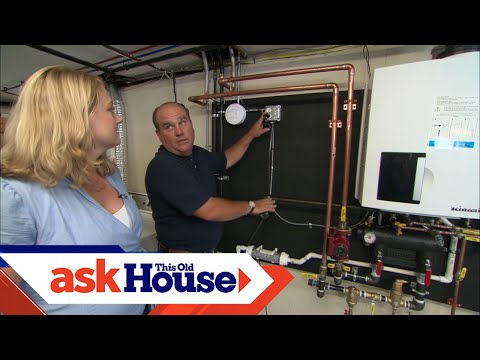
This Old House plumbing and heating expert Richard Trethewey helps a homeowner install a wireless thermostat to control one zone of heating. (See below for a shopping list, tools, and steps.)
SUBSCRIBE to This Old House: http://bit.ly/SubscribeThisOldHouse
Shopping List for Installing a Wireless Thermostat:
– Wireless thermostat
– Cable staples, used to secure the wiring
– Hollow-wall anchors and screws, for mounting the thermostat
Tools List for Installing a Wireless Thermostat:
– Cordless drill
– Hammer, for installing cable staples
– Wire stripper, used to strip insulation from wires
Steps for Installing a Wireless Thermostat:
1. Mount the electronic interface module (receiver) to the wall beside the boiler.
2. Run two wires from the receiver to the appropriate zone valve.
3. Run two more wires from the receiver to a transformer. Fasten the wires to the wall and ceiling with cable staples.
4. Follow the manufacturer’s easy pushbutton instructions to link the receiver to the thermostat.
5. Mount the thermostat to an inside room wall, away from any windows or heat-producing electronics.
6. Use two hollow-wall anchors to screw the thermostat’s mounting base to the wall.
7. Snap the thermostat onto the mounting base, then program it to the desired room temperature.
8. The heat can be controlled wirelessly at the wall-mounted thermostat or via the Internet on your computer, tablet, or cell phone.
9. Another type of wireless thermostat features a receiver that connects to wires of the existing thermostat, which greatly simplifies the wiring process.
About Ask This Old House TV:
Homeowners have a virtual truckload of questions for us on smaller projects, and we’re ready to answer. Ask This Old House solves the steady stream of home improvement problems faced by our viewers—and we make house calls! Ask This Old House features some familiar faces from This Old House, including Kevin O’Connor, general contractor Tom Silva, plumbing and heating expert Richard Trethewey, and landscape contractor Roger Cook.
Follow This Old House and Ask This Old House:
Facebook: http://bit.ly/ThisOldHouseFB
Twitter: http://bit.ly/ThisOldHouseTwitter
http://bit.ly/AskTOHTwitter
Pinterest: http://bit.ly/ThisOldHousePinterest
Instagram: http://bit.ly/ThisOldHouseIG
http://bit.ly/AskTOHIG
Tumblr: http://bit.ly/ThisOldHouseTumblr
For more on This Old House and Ask This Old House, visit us at: http://bit.ly/ThisOldHouseWebsite
How to Install a Wireless Thermostat | Ask This Old House
https://www.youtube.com/user/thisoldhouse/
You must be logged in to post a comment.
This site uses Akismet to reduce spam. Learn how your comment data is processed.
You going to want to put a fuse in there between doorbell transformer and that 400 dollar wireless control module. It’s called protecting your investment.
Honeywell YTH6320R1001
Is the name of this kit in Amazon.
this is very outdated, get a nest or ecobee and you can add many wireless temp monitors throughout your house
But this Honeywell thermostat has remained at around $200-$367. USD /CADHaven't found a cheaper price.
https://www.amazon.com/gp/aw/d/B008FM2N0K/ref=ox_sc_saved_image_2?smid=A2W7NLC0KWN8S4&psc=1
Tom Silva rocks….he's like take the red wiya, and justttt move it ova about tree qwata
Nice and interesting way to install and setup a wireless thermostat
Just watched this episode on Pluto TV for free.
I have a Honeywell's in my home they are great.
I live in a condo the stat has 9 wires. I want a wifi unit, but no such luck.
Funny, I had that non-internet thermostat they showed at my last home. I abandon the wires in the wall and hung the receiver on the hvac unit and wired it up. Then you don’t have the ugly receiver hanging on the wall.